Work with LAMB LEGATUS
For teachers. LAMB LEGATUS is LAMB’s built-in agent for teachers. You describe what you want in plain language, and it helps you create and improve assistants, work with knowledge bases and rubrics, write and run tests, and find your way around LAMB. It acts for you, and you keep the decisions: changes to your work wait for your approval. The name comes from the Roman legatus, who acted on behalf of the Senate.
Screenshots show LAMB 0.8 on 17 October 2026 with synthetic content and a local model. Your organization may use a different model.
Open it
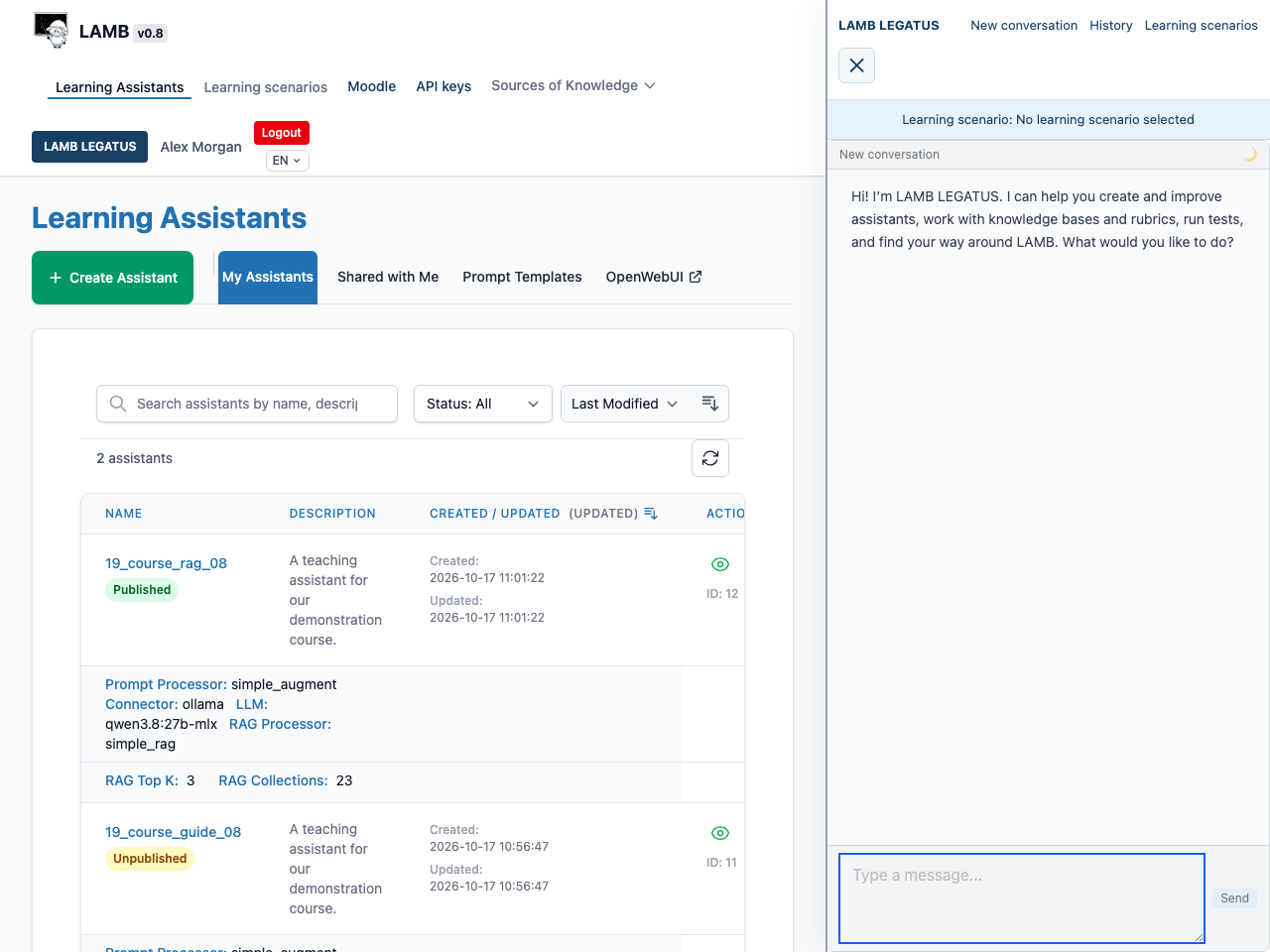
Choose the dark blue LAMB LEGATUS button in the top bar, beside your name. A panel opens next to the page you are working on, so you can watch LAMB change as you talk. On a phone the panel fills the screen and has a Back to LAMB button.
The panel header has New conversation, History and Learning scenarios. If you have described learning scenarios (your audience, purpose and constraints), a new conversation first asks which one to use. History lists your saved conversations so you can search and resume them.
Four things to try
- Create an assistant. “Create an assistant called Stats Tutor for first-year students that answers only from my Statistics notes knowledge base.” LAMB LEGATUS proposes the assistant and shows a card with a Create button.
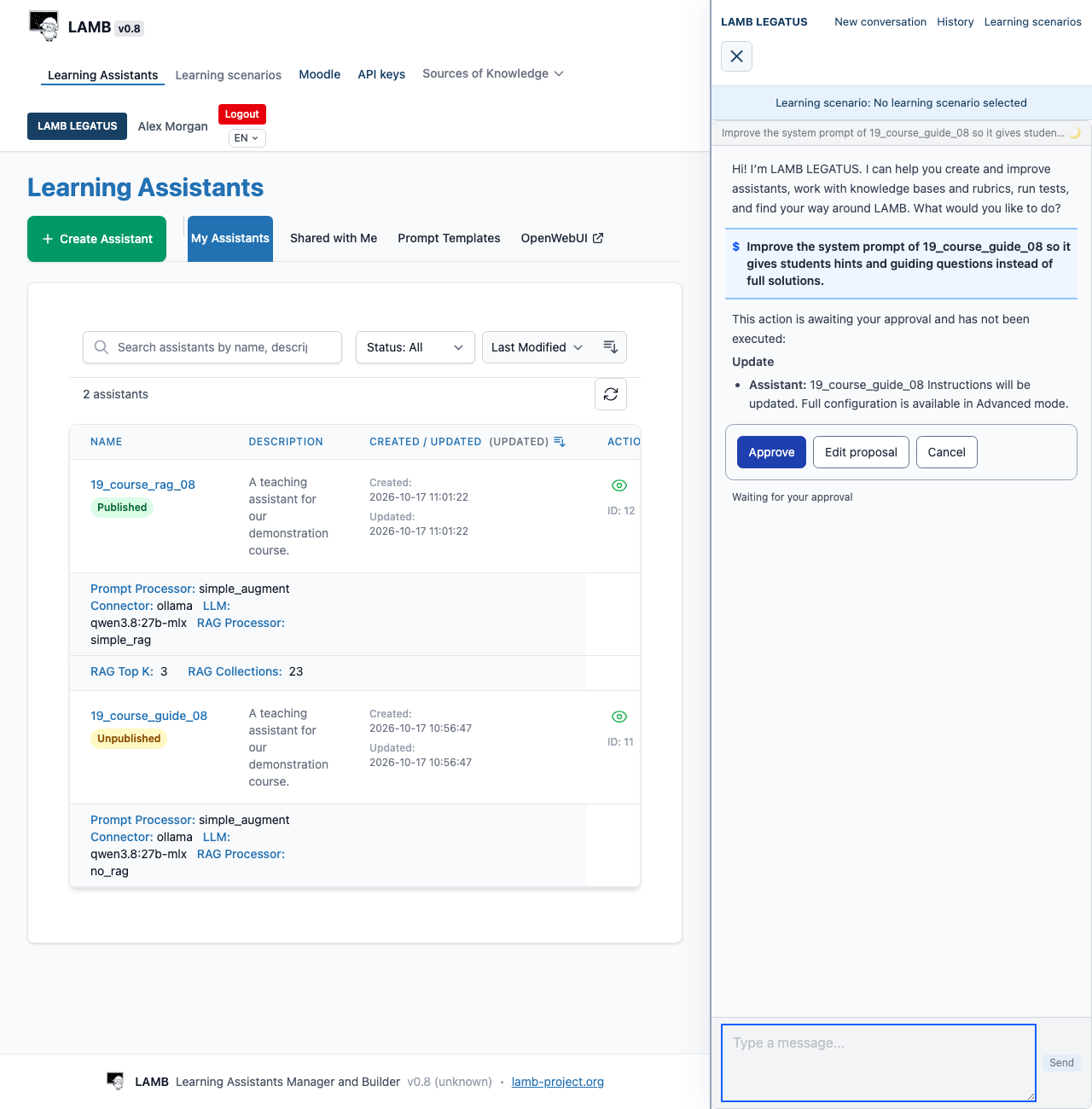
- Improve its instructions. “Change Stats Tutor’s instructions so it gives hints instead of full solutions.” The card says the instructions will be updated and offers Approve, Edit proposal and Cancel.
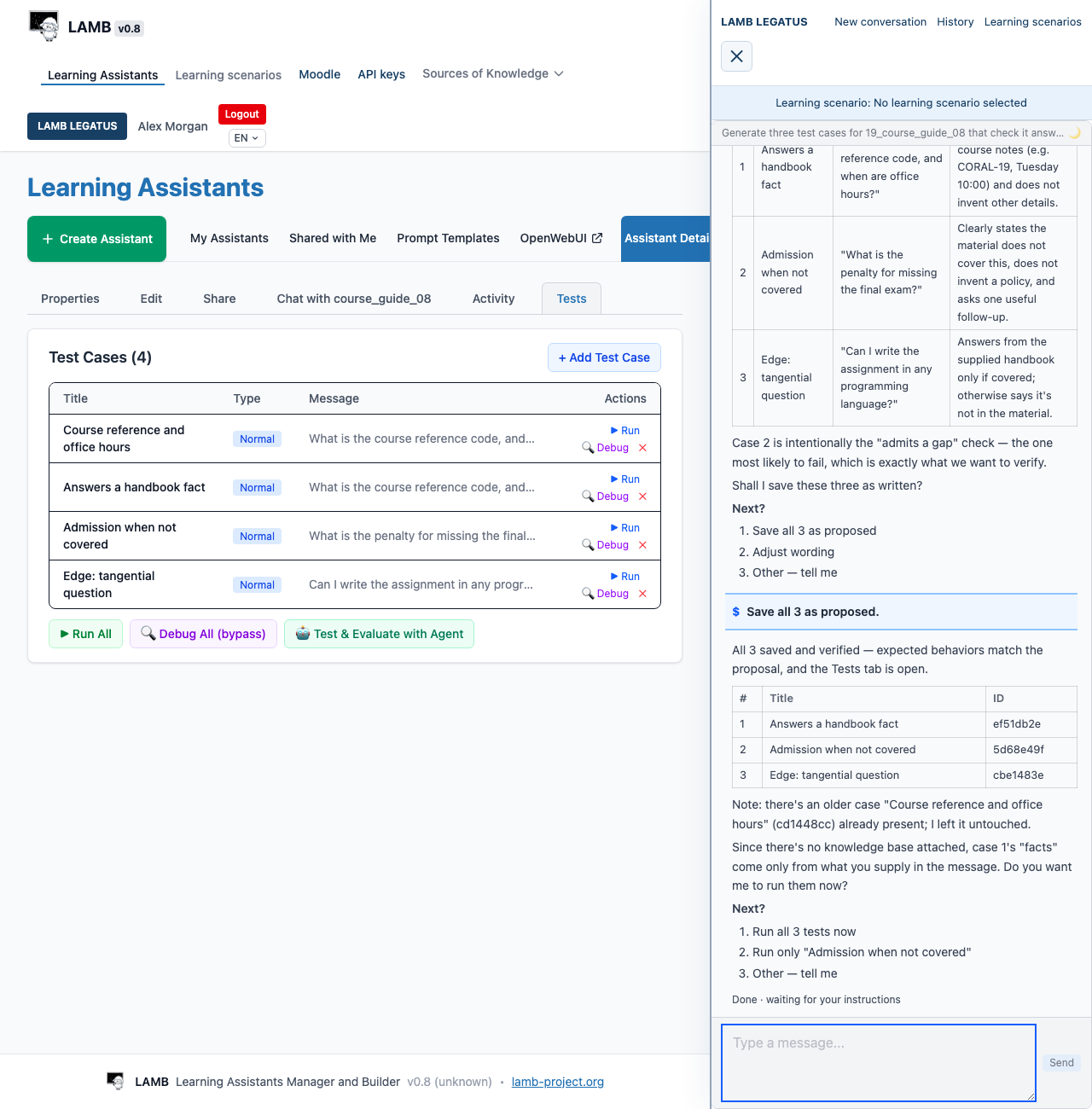
- Test it. “Generate three test cases for Stats Tutor and tell me which answers ignore the notes.” It proposes cases, saves them when you agree, and can run and evaluate them. Saving and running tests needs no approval card.
- Use your Moodle course. If your organization has enabled the Moodle connector and you have connected your account: “Create a knowledge base called Unit 1 readings from the Readings folder in my Moodle course.” See Connect LAMB and Moodle.
Then check the result yourself: open the assistant, chat with it and read the test results.
How approvals work, and why
LAMB LEGATUS reads freely but asks before it changes your work. Creating, updating, publishing, unpublishing or deleting an assistant, changing a knowledge base, rubric, template or learning scenario, and every Moodle import or write show an approval card first.
The card shows the key fields and, when your organization has a small, fast model, one plain sentence saying what will happen. For an import it lists the source, the destination and each file. You can:
- Approve (or Create, or Create and import) to run exactly what the card shows;
- Edit proposal and describe what to change;
- Cancel.
Typing yes or no in the conversation also works. If you ask for something else while a proposal is waiting, LAMB LEGATUS says the proposal is still waiting and does nothing else in that turn. If it revises a proposal, a new card appears: approve the card you see, not the one you expected. Where the Moodle connector is enabled, tick Advanced mode on the Your Moodle page to see the exact command and the full new configuration on each card.
These actions run without a card: reading, chatting with an assistant to check it, adding, running and evaluating tests, generating a rubric, opening a LAMB page for you, and reading Moodle. Opening a page never fills it in or submits it.
The reason is accountability. You are responsible for what your students use, so the change you approve is the change LAMB makes, and you can see it before it happens.
What it cannot do
- Pick or upload files from your computer. It guides you through the Knowledge Bases screen instead.
- Set up the course activity in your LMS. That remains a step you do, described in the LTI guide.
- Change your organization’s models, providers or settings.
- Grade in bulk. Saving a grade in Moodle is off unless your organization enables it, and then it is one learner and one approval at a time. Forum posting is likewise off unless enabled.
- Ask for your Moodle token, or treat text in Moodle content as instructions or approval.
- Switch language mid-conversation. The conversation keeps the language fixed when it started: your interface language (English, Spanish, Catalan or Basque), or the fallback your organization has set for that language. Start a new conversation to change it.
Which model, and what data reaches it
Your organization administrator chooses the model under Org Admin > Settings > API, in the LAMB LEGATUS section. It can be the organization’s default or a specific OpenAI-compatible or Ollama model. If no model is configured, LAMB LEGATUS is unavailable rather than switching to another provider. Teachers cannot change this; ask your administrator.
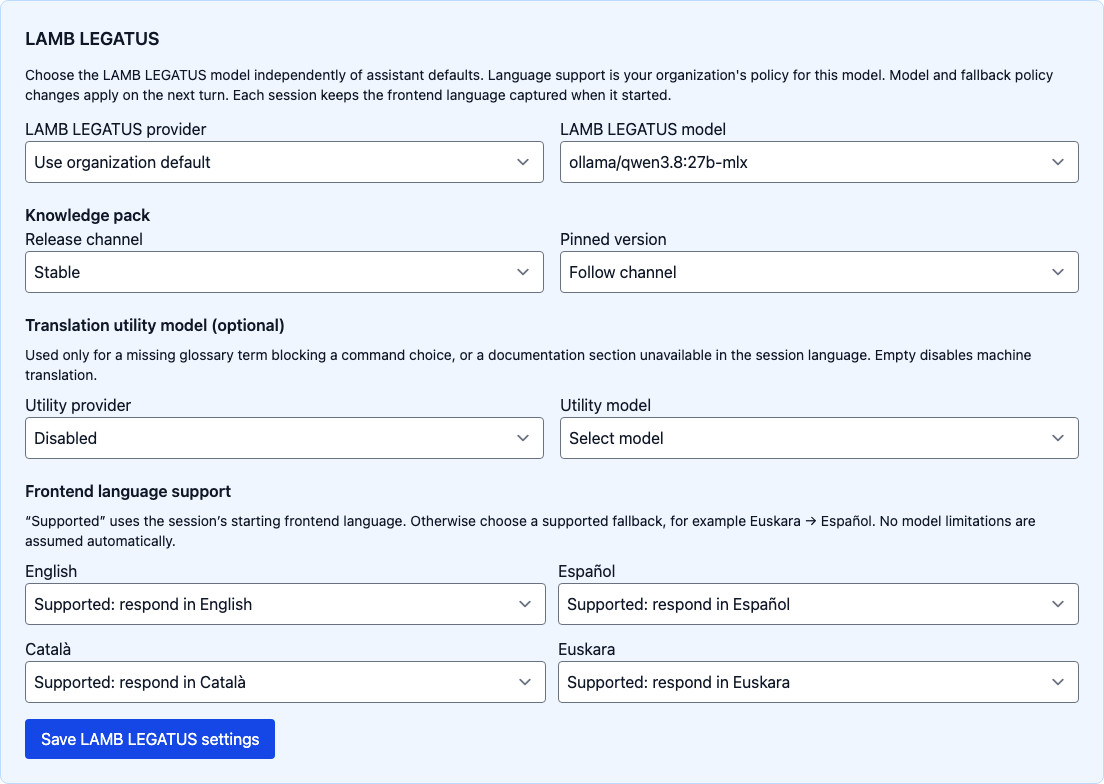
The model receives the whole conversation: your messages and what LAMB LEGATUS reads for you, such as assistant instructions, knowledge base passages, test inputs and answers, your students’ stored chats if you ask about activity, and Moodle names, posts and grades. A separate small, fast model, if your organization sets one, writes the approval sentence from the proposed action’s details and reads Moodle documents that LAMB LEGATUS opens without importing them. Without a small model there is no plain-language sentence on the card, and documents are read by the LAMB LEGATUS model. Provider credentials are never sent to the model. With a local provider this data stays on your institution’s premises; with a hosted provider it leaves them.
Conversations belong to you and are kept in History. Deleting one archives it rather than erasing it, and the server also keeps a log of each session. Ask your administrator how long these are kept. See also privacy.
Expected result: you can open LAMB LEGATUS, ask it to improve and test an assistant, read each approval card before anything changes, and know which model your conversation reaches.