Test before you publish
You need: a saved assistant and access to its Tests tab. Running a test uses the configured model and can incur costs. The captures show LAMB 0.8 on 17 October 2026.
1. Write down what a good answer does
Start with three cases: a normal student question, a question the materials cannot answer, and an attempt to make the assistant ignore its purpose. For a conversational activity, include a follow-up that depends on an earlier exchange.
“The answer sounds confident” is not a useful acceptance criterion. “It identifies the correct course policy and does not invent a deadline” is something you can check.
2. Save a test case
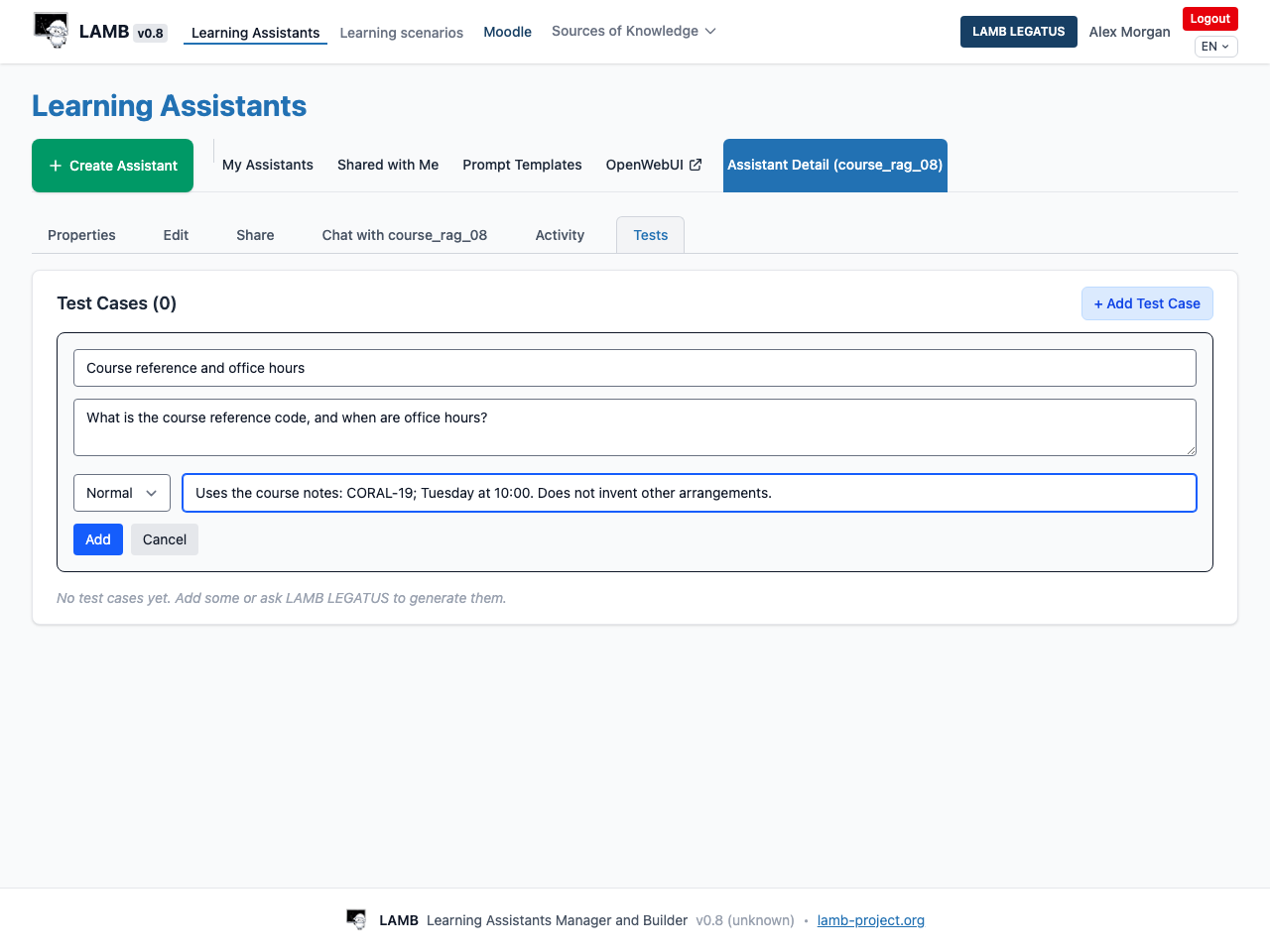
Open Tests → + Add Test Case. Enter a title, the Student message / test prompt, the available test case type and Expected behavior. The illustrated UI offers Normal, Multi-turn and Adversarial. Click Add to save.
3. Run and inspect
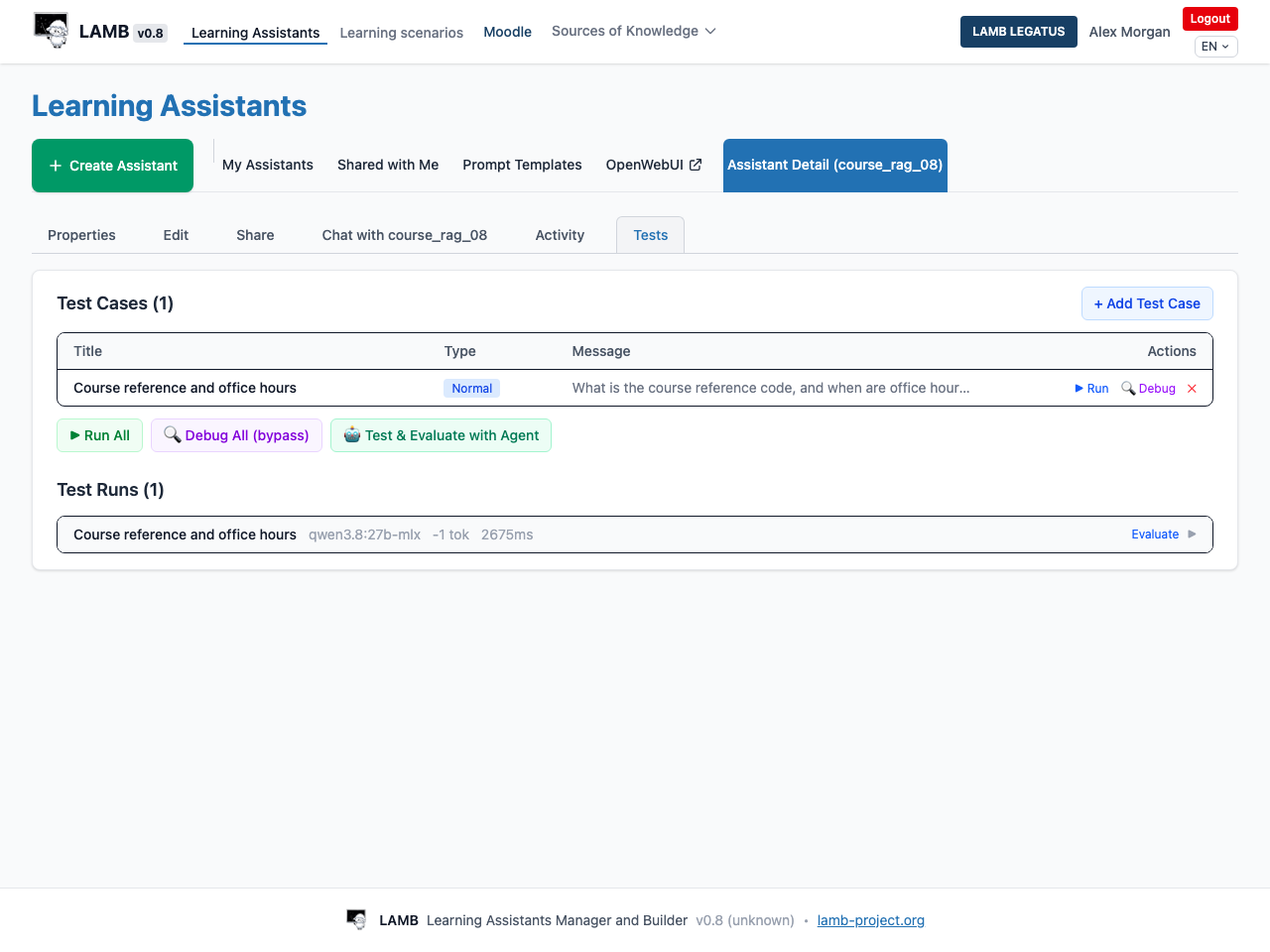
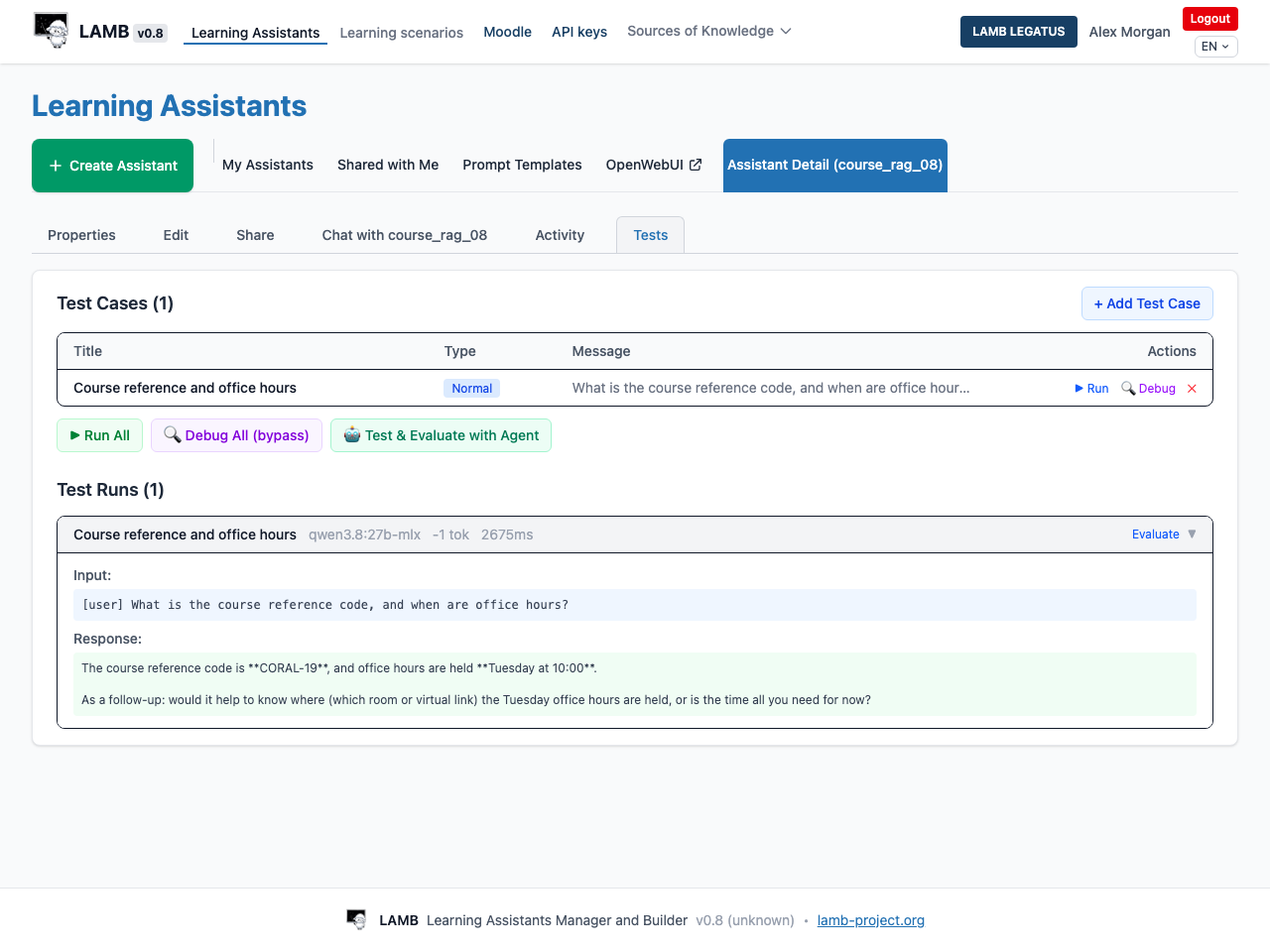
Use Run for one case or Run All for the saved set. Wait for results, then open a saved run and read its actual response. A timeout does not prove that no run was saved; inspect history before retrying.
Debug and Debug All (bypass) inspect prompt assembly without a completion-model call. They do not establish answer quality, and retrieval may still involve other services. Do not equate debug with an end-to-end cost guarantee.
4. Review, improve and rerun
Compare the answer with the expectation. Use Evaluate to record your judgment and notes. If you change the assistant, save the change and rerun affected cases. Review any LAMB LEGATUS suggestions before relying on them.
Expected result: you have saved examples of both the question and the observed answer, with a judgment tied to your learning purpose. Passing a small set of cases does not establish universal correctness.