Bring AI into your course
LAMB gives teachers an environment for creating RAG learning assistants, preparing rubric-based pre-assessment (PRE), and analysing and improving their activities, with LAMB LEGATUS and an optional connection to the teacher’s Moodle courses. Students access the configured tools from the institution’s LMS, including Moodle or Canvas through LTI. You can prepare an assistant in a web interface without writing application code.
RAG assistants from course materials
Retrieval-augmented generation (RAG) supplies an assistant with relevant passages from selected sources when it responds. Use it to build an assistant around your course readings, reference documents or teaching materials.
You define its role and instructions, choose an available model and connect the sources. The institution manages the permitted models and access. Test both retrieval and the generated answer: retrieving a relevant passage does not guarantee that the answer uses it correctly.
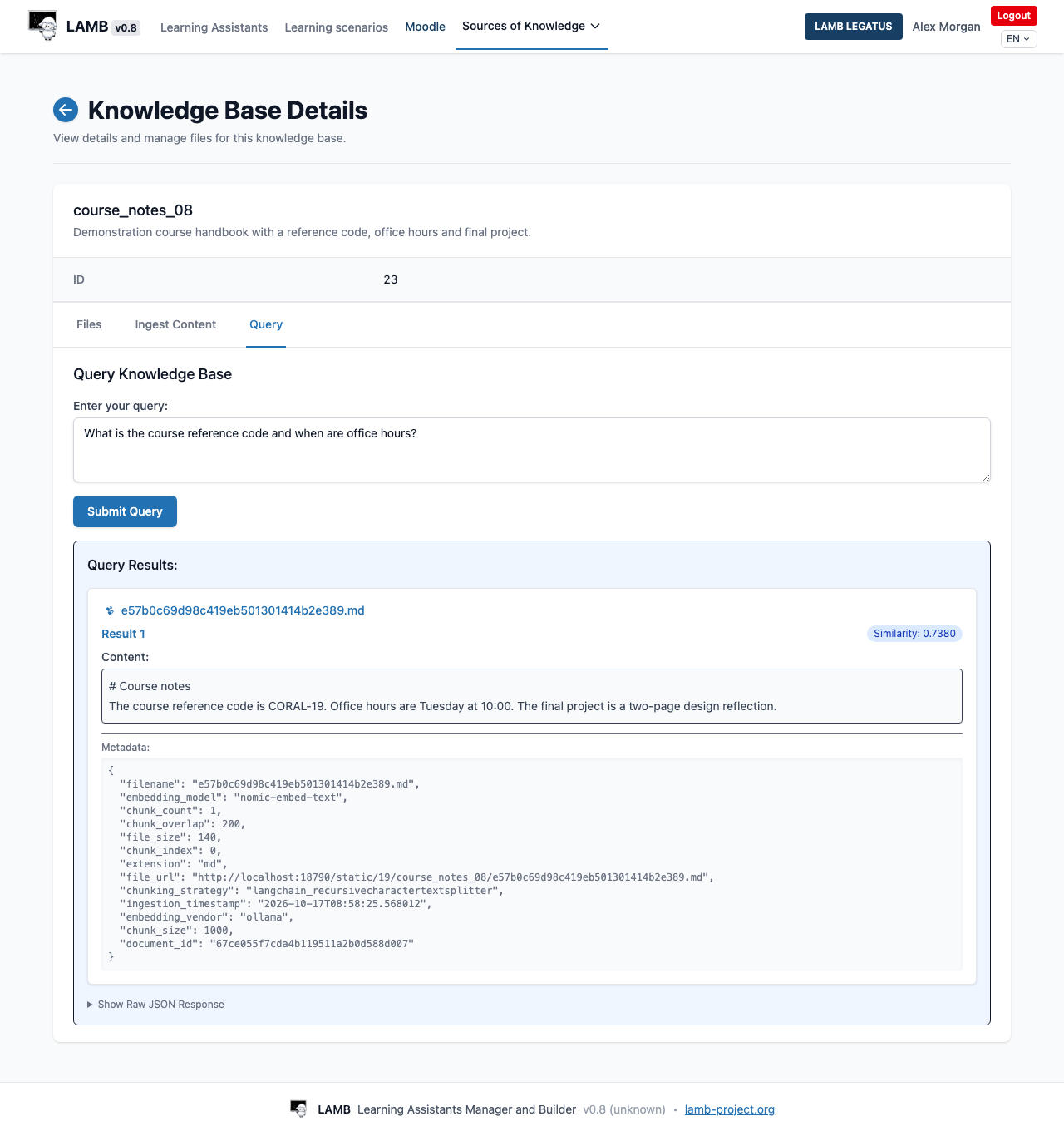
Connect and check your materials →
Research: improving retrieval of educational terminology →
Rubric-based pre-assessment (PRE)
Create an assistant that applies a rubric to student work and prepares feedback or a proposed assessment for review. PRE supports the teacher’s assessment process: the teacher evaluates the proposal and decides what to communicate or record.
LAMB includes rubric authoring and file-evaluation workflows. Define the criteria, provide the intended rubric to the evaluation assistant and test it with representative submissions. Review the feedback and proposed scores before using them in a course. If the activity returns a grade to the LMS, check both the teacher review and the gradebook result.
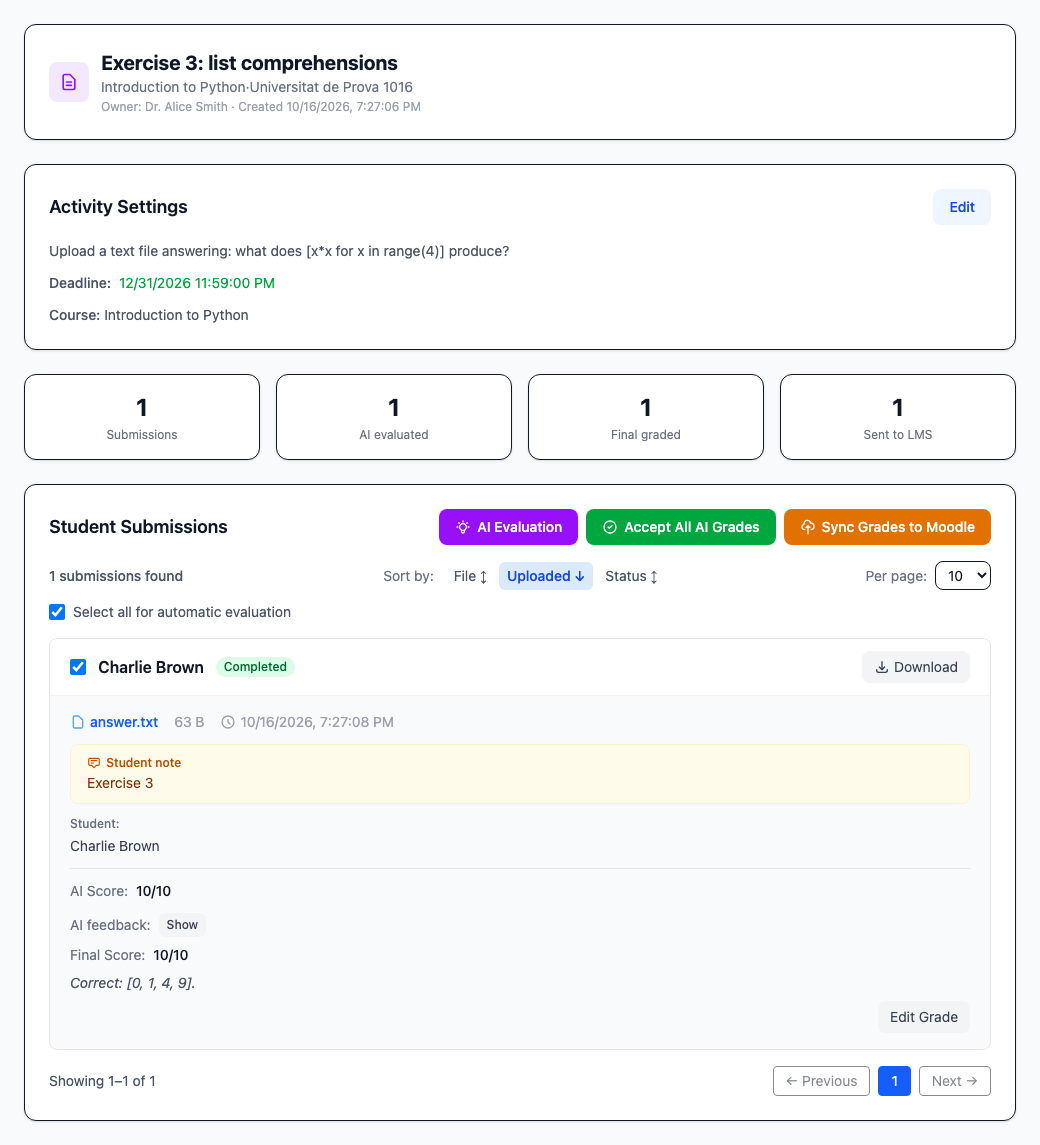
Choose the course activity and LTI path →
Research: a proof of concept for rubric-based AI assessment →
LAMB LEGATUS: an agent for the teacher
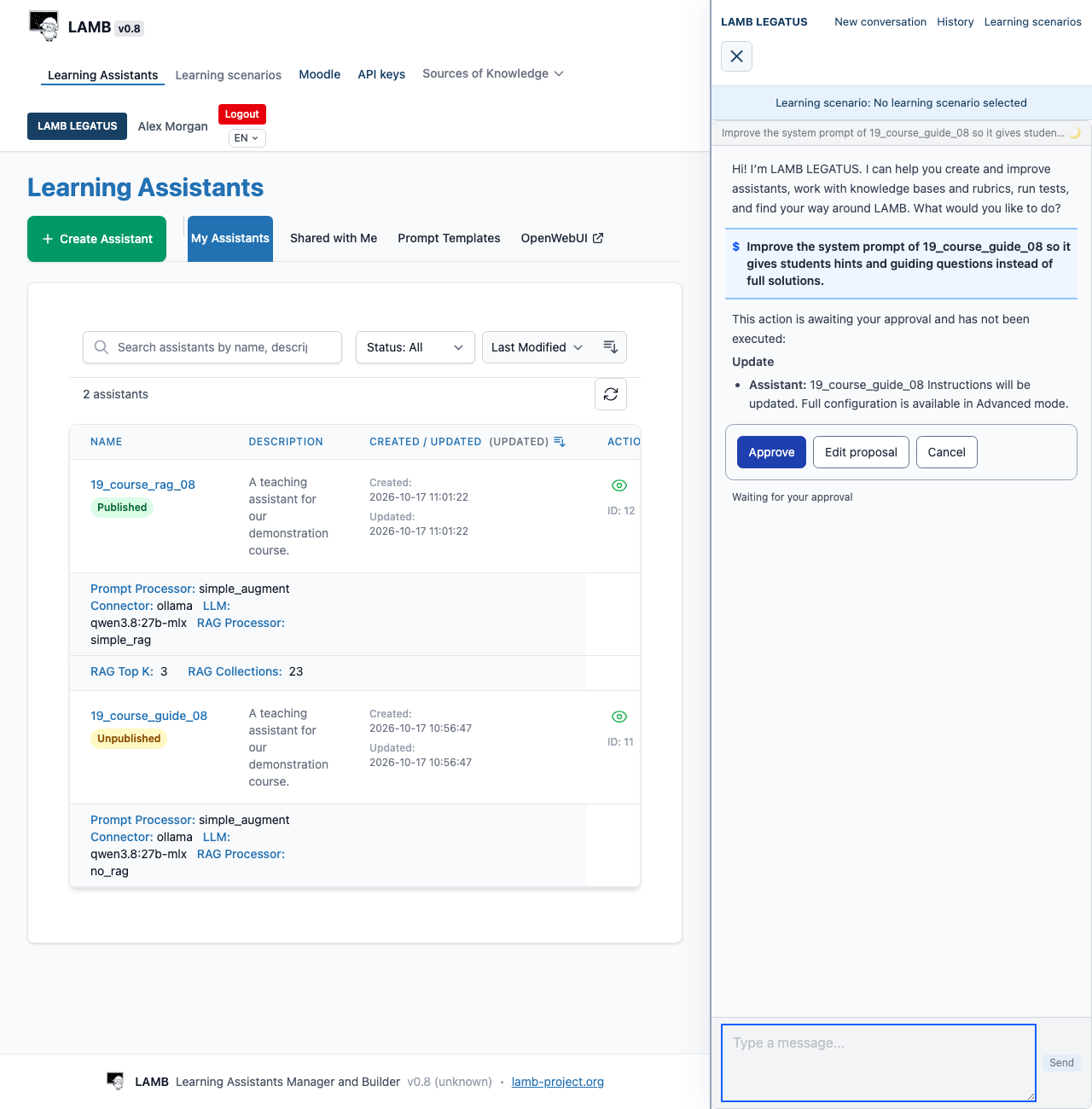
LAMB LEGATUS is an agent built into LAMB. A language model on its own only writes text. LAMB LEGATUS is the harness around it: tools that read and change your work in LAMB and read your Moodle course, the permissions of your account, and an approval step the model cannot skip. The name comes from the Roman legatus, who acted on behalf of the Senate.
You describe what you want in plain language, and it works beside the page you are on:
- Design by conversation: create an assistant, improve its instructions, prepare a knowledge base or a rubric.
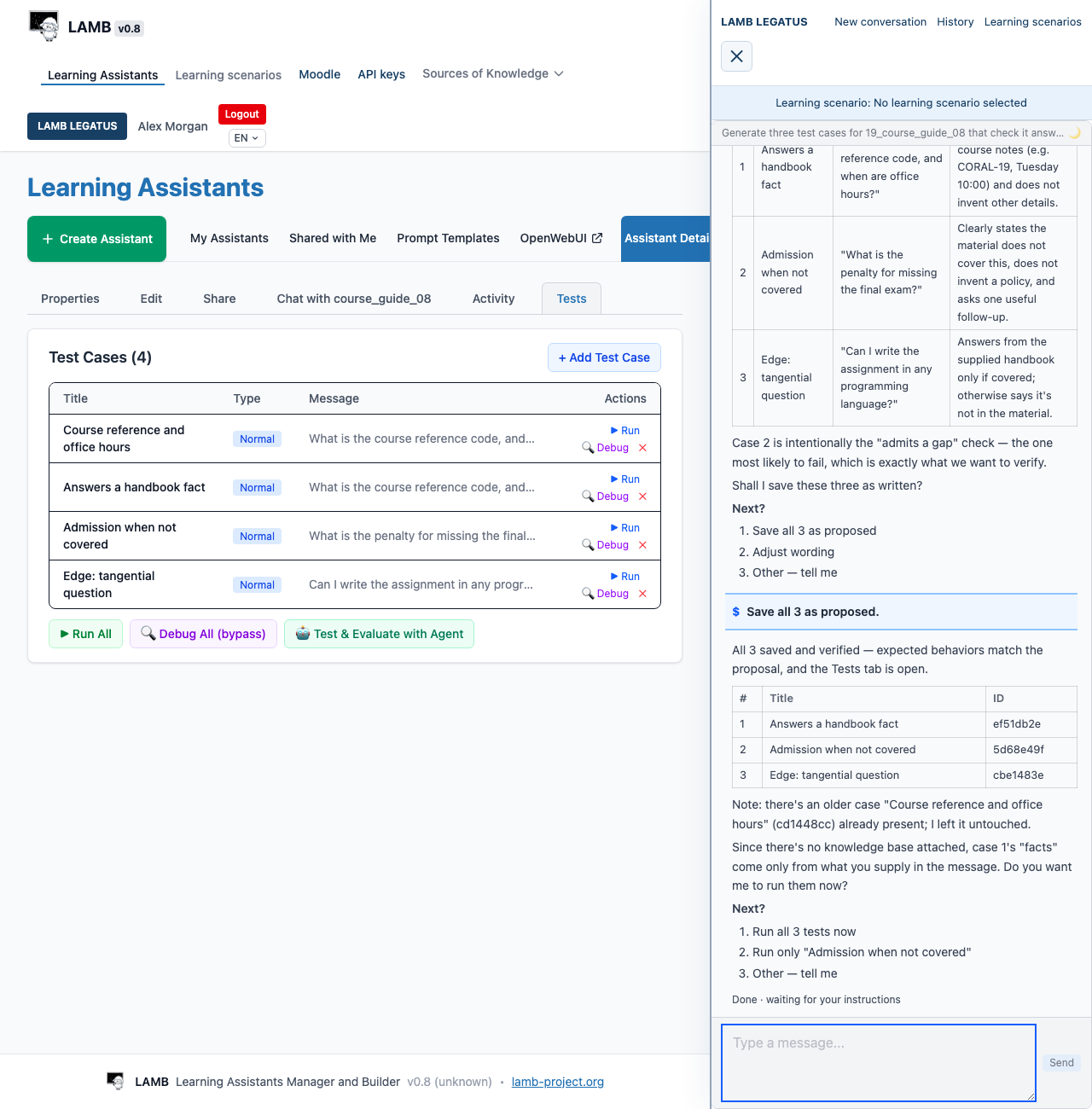
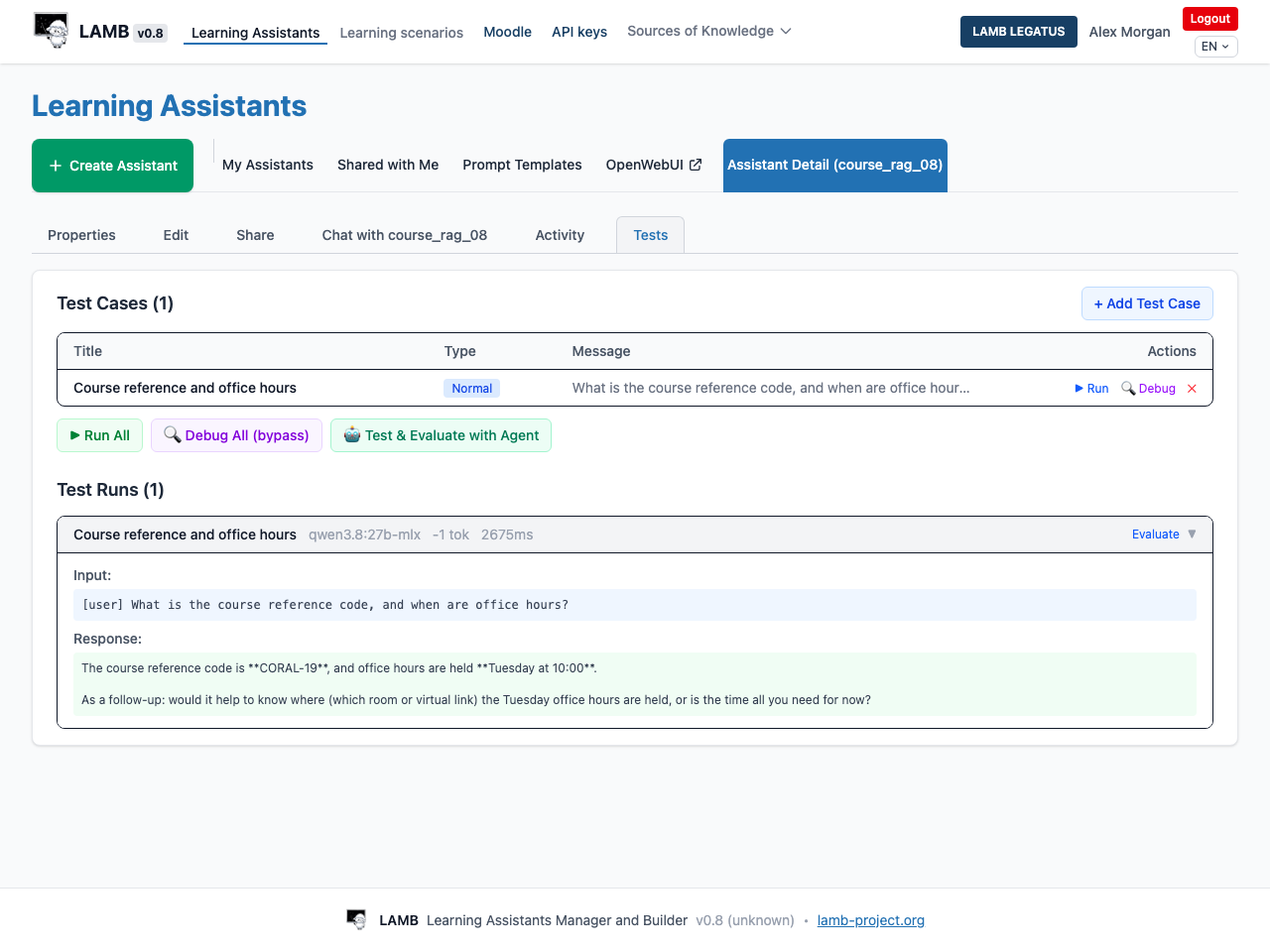
- Tests built in: it proposes test cases, saves them when you agree, runs them and gives its own evaluation of each answer for you to check.
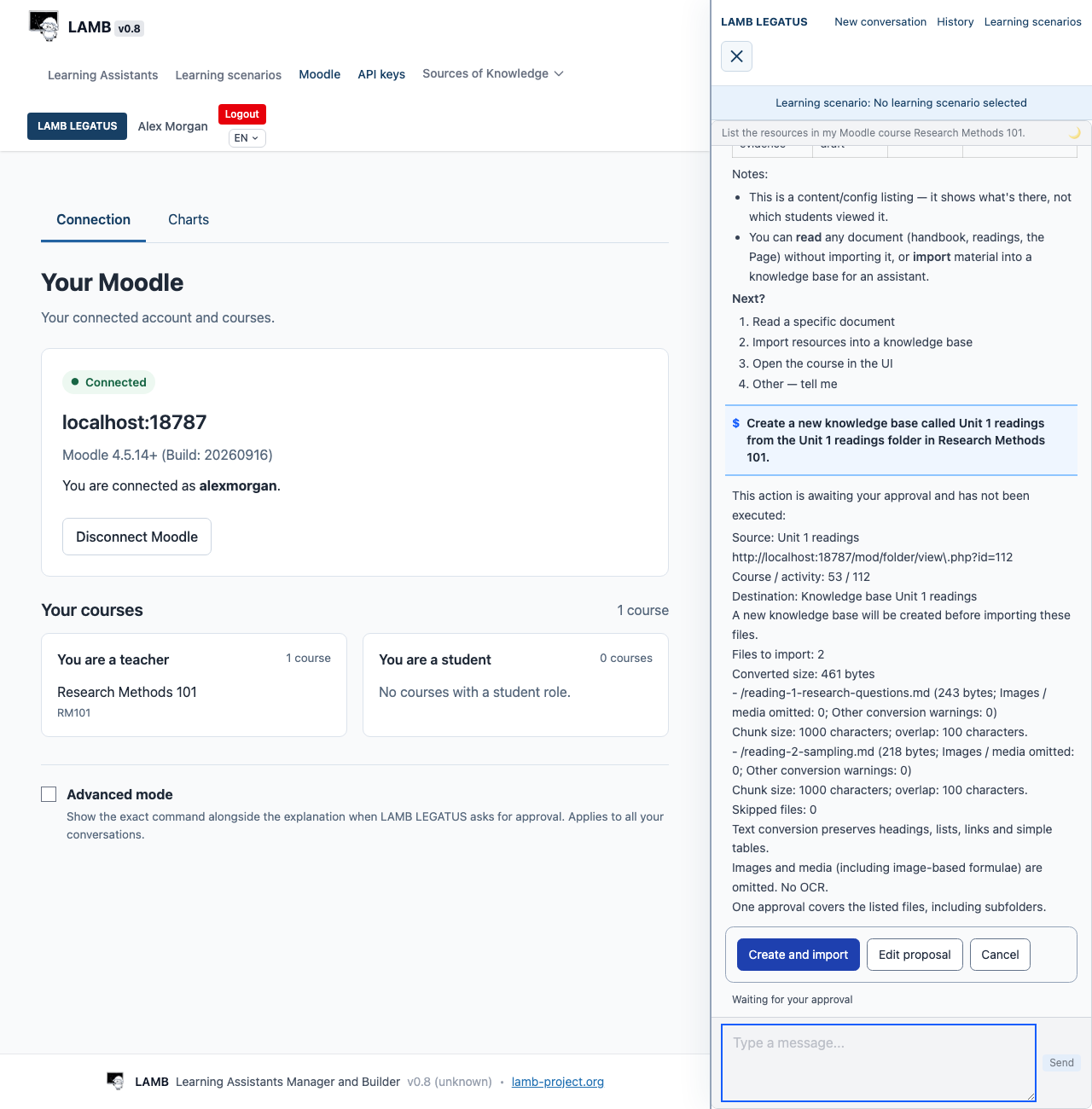
- Your Moodle course, within reach: with the Moodle connection, it lists and reads your course resources and imports the ones you choose.
- Learning scenarios: describe your audience, purpose and constraints once, and new conversations start from them.
It asks before it changes your work. Creating, updating, publishing or deleting an assistant, changing a knowledge base, rubric or learning scenario, and every Moodle import or write wait on an approval card; the change you approve is the change LAMB makes. Reading, and saving, running and evaluating tests, need no card. Your organization chooses the model it uses.
Your Moodle course, connected
LAMB connects to Moodle in two kinds of way, and no Moodle plugin is required for either.
- Activities in your course. LAMB activities are added to a Moodle course as an External tool through standard LTI 1.1: a chat with your assistants, file evaluation with a rubric and, where your organization has set it up, LLM access with personal keys for students’ own tools. Students open them from the course. For file evaluation, the teacher reviews the grades and sends them to the Moodle gradebook. A single published assistant or Creator access can also be added through LTI; see the LTI guide.
- Your course, for LAMB LEGATUS. With the optional Moodle connector, you connect your own Moodle account on the Your Moodle page (the Moodle link in LAMB’s top bar). LAMB LEGATUS can then list your courses, read their resources and import selected material into a knowledge base, through Moodle’s standard web services and the permissions of your account.
Your LAMB administrator enables the connector, and Moodle must expose the standard services. The connector only reads, unless your organization allows forum posts or saving grades; then each write needs its own approval, one learner at a time for grades. Student names, posts and grades that LAMB LEGATUS reads reach the organization’s configured model provider; with an outside provider, they leave your institution. Use the institution’s approved data and model settings.
Analyse and evaluate assistant behaviour
Use repeatable test cases and saved results to examine how an assistant responds. Activity views and analytics provide available usage and conversation evidence according to permissions and the configured review policy. LAMB LEGATUS can help interpret that evidence and suggest improvements.
Compare actual responses with your learning purpose and rubric. Test runs and student activity are different kinds of evidence; a usage count alone does not demonstrate learning benefit.
Start with a teaching purpose
An assistant might help students practise explaining a concept, find a passage in course notes, or work through a question without immediately giving away the answer. These are possible teaching designs: their quality depends on your instructions, sources, model and tests.
For a first activity, keep the purpose narrow. For example: “Help students find the relevant section of the course handbook and explain it in their own words.” Decide what the assistant should do when it cannot find an answer.
A small first project
- Get access. Your institution supplies a LAMB address or a launch link in its LMS. The public project website is not a shared login service.
- Create an assistant. Give it a purpose, instructions and an institution-approved model.
- Add course material. Connect an available knowledge base, then check that the intended passages can be retrieved.
- Test its behaviour. Try a normal question, an unsupported question and a misleading request. Read the answers yourself.
- Publish for a course. Follow your institution’s LMS integration path and check access as a student.
What remains your decision
You choose the learning objective, the materials students may use and what counts as a useful answer. Providing documents does not guarantee correct answers or references. Explain the assistant’s role to students and give them a way to raise problems.
The available controls and permissions depend on your institution’s installed revision and configuration. Review AI-generated feedback and suggestions according to your course’s assessment process.
If you already use LAMB
- Connect and check course materials.
- Build a repeatable set of test cases.
- Make an assistant available through your LMS.
- Check versions and feature availability.
For account access and course permissions, contact your institutional support team. For a reproducible product issue, use the project issue tracker without including private course content or credentials.